What both autoscalers do
Kubernetes names two jobs. Provisioning adds nodes when pods cannot be scheduled. Consolidation removes underused nodes and can provision replacements. Older Cluster Autoscaler texts call them scale-up and scale-down.
Both projects are sponsored by SIG Autoscaling. The Kubernetes documentation says they give a similar experience and advises you to choose based on your use case. They share one trait that matters for cost: they read pod requests and ignore real usage. An oversized request keeps a node running whichever tool you pick, so review requests first.
Cluster Autoscaler: you define the node groups
Cluster Autoscaler adds or removes nodes in node groups that you configure in advance. Inside a group, machines must have identical capacity and the same labels. Every 10 seconds by default, the tool looks for unschedulable pods and picks a group. The default expander, least-waste, picks the group that leaves the least idle CPU after the scale-up.
Its strength is reach. It integrates with many cloud providers, including smaller ones, and these integrations are part of the Kubernetes project. Its limit is the groups themselves. Each new machine shape or Spot mix means one more group to create and maintain.
To remove a node, it compares CPU and memory requests with allocatable capacity. Below 50% by default, and after 10 minutes as unneeded, the node can go. Several cases block that step:
- A PodDisruptionBudget that is too restrictive.
- A pod with no controller behind it.
- A pod with local storage, unless an annotation lists its local volumes.
- A pod annotated cluster-autoscaler.kubernetes.io/safe-to-evict: false.
Karpenter: you define the constraints
Karpenter starts from pending pods and creates individual machines for them. It needs no prebuilt node group. You set constraints in a NodePool, such as allowed instance types or Spot capacity, and a provider NodeClass, such as EC2NodeClass on AWS, holds the cloud settings. In November 2026, its documentation listed version 1.15 as the latest.
Its scope is wider: it manages the whole node lifecycle. The consolidationPolicy field sets how eager it is. WhenEmpty removes empty nodes only. Balanced acts when the savings justify the disruption. WhenEmptyOrUnderutilized, the default, considers any node that can be removed or replaced. Nodes also expire after 720 hours by default, and Karpenter replaces those that drift from their NodePool.
That freedom comes with limits:
- Fewer cloud providers integrate with it. The Kubernetes documentation names AWS and Azure among them.
- Nodes tend to change more often, so pods restart more often. Set PodDisruptionBudgets on your workloads.
- By default, a NodePool disruption budget caps voluntary disruption at 10% of nodes. It does not limit expiration or interruption.
- On AWS, interruption handling needs an SQS queue and EventBridge rules.
How to choose
Start with your provider, then look at how your workloads vary. No autoscaler guarantees a lower bill: strict budgets, large pods or zone constraints can keep most nodes in place. Test on a non-production cluster and measure pending time, pod restarts and estimated cost before you decide.
- Stay with Cluster Autoscaler if your provider has no Karpenter integration, if your groups are few and stable, or if node changes must stay rare and planned.
- Look at Karpenter if your pods need many machine shapes, if you rely on Spot, or if your number of node groups keeps growing.
- Look at a managed option if you would rather run neither. EKS Auto Mode relies on Karpenter for scaling, runs it for you and enforces a 21-day maximum node lifetime.
Move from Cluster Autoscaler to Karpenter
The Karpenter migration guide targets EKS and assumes your workloads have PodDisruptionBudgets. Its main steps also help you plan on other providers.
- Keep a small static node group. The Karpenter controller runs there, outside the nodes it manages.
- Consider pinning critical add-ons such as CoreDNS and metrics-server to that group.
- Create a NodePool and a NodeClass, then scale Cluster Autoscaler to zero replicas.
- Shrink the node groups, a few instances at a time on a large cluster. Without a PodDisruptionBudget, workloads can become unavailable.
What Onicost adds: measure the effect
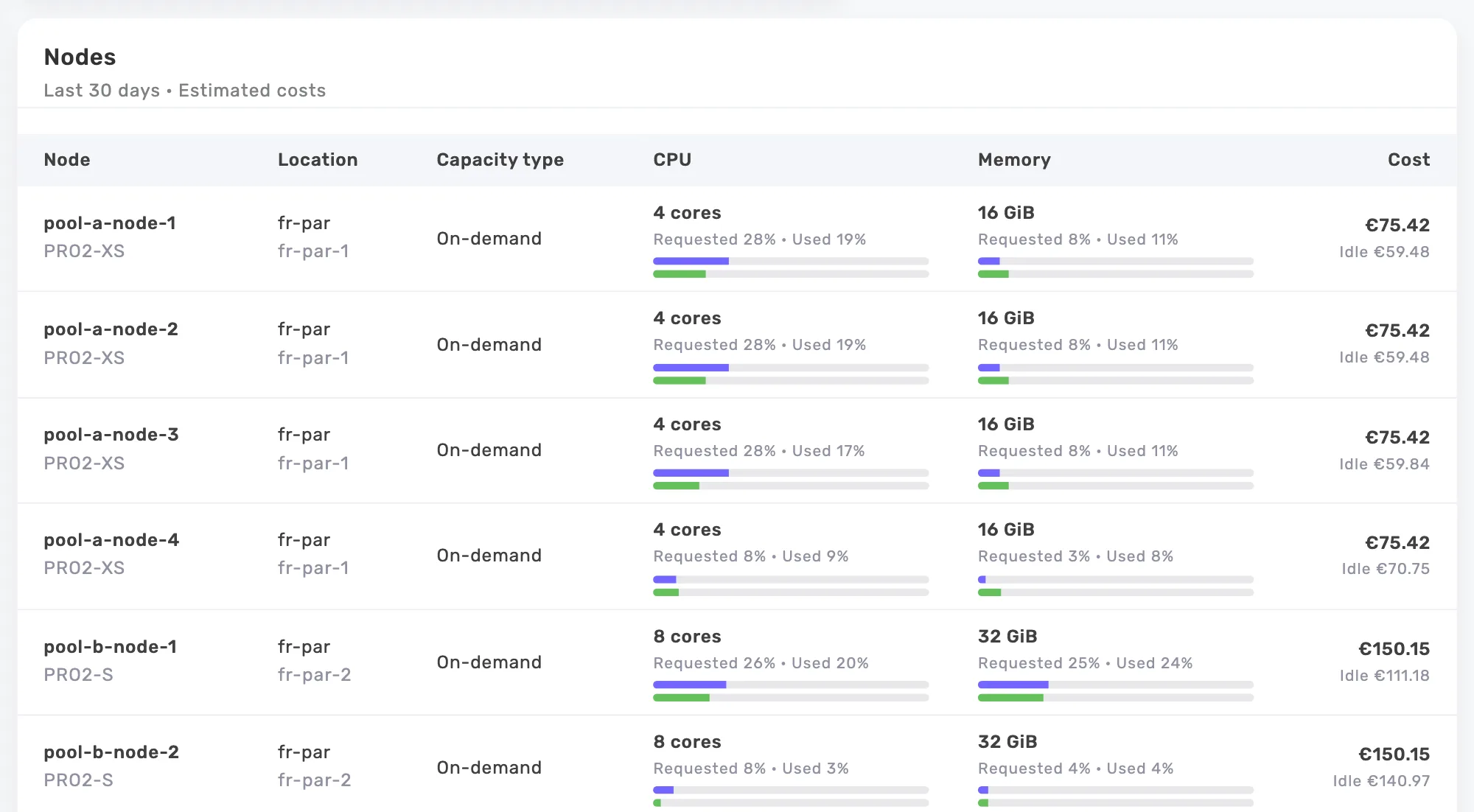
Onicost shows cost per node, workload and namespace, next to requests and real usage. It groups nodes by pool, including Karpenter NodePools, EKS node groups and GKE, AKS, Kapsule and OVHcloud pools. Compare the weeks before and after a change. These costs are estimates based on public prices and your settings.
Recommendations point to oversized requests, pools to shrink and workloads that could move to Spot, with an estimated monthly saving when it can be quantified. No saving is guaranteed, and your team applies the changes. The Onicost scheduler can stop workloads, but the freed nodes stop only if the cluster has an autoscaler.
Free covers 1 cluster, 32 cores and 2 members. Detailed recommendations come with Team, from €39 per month before tax, with a 14-day trial and no card.
Frequently asked questions
Do I have to remove Cluster Autoscaler to use Karpenter?
The Karpenter migration guide disables it by scaling it to zero replicas once Karpenter runs. A small static node group stays in place for the controller and for critical add-ons.
Will a switch lower my bill?
It can, and nothing guarantees it. Both tools decide from requests, so oversized requests keep costing money. Compare estimated costs, pending time and pod restarts before and after the change.