


Start with the accounts that carry your budget
The Cloud workspace supports AWS, Azure, Google Cloud and Scaleway. Connect an account without installing a Kubernetes agent and begin with available billing data. Choose a useful scope for the first review: your production account, an environment that has become expensive or a project whose owner wants to understand its spending trend.
Before deciding that a resource is wasteful, check the billing period, currency and rates behind the number. Higher spending may reflect healthy product growth. The aim is to find avoidable costs and give the team enough context to separate them from resources that are doing useful work for your customers.
Review forgotten resources, capacity and commitments
Onicost helps identify forgotten resources, oversized capacity and commitments worth reviewing in your billing data. Treat a recommendation as the start of an investigation. Find the owner and purpose before removing a resource: a recovery environment can have low usage while still serving a deliberate operational requirement.
AWS, Azure and Google Cloud documentation also describes rightsizing approaches based on resource usage. An observation period may miss an infrequent peak. For a SaaS product, check the recommendation against launches, scheduled processing and availability objectives, then select a change that fits how the service operates.
Turn a FinOps review into engineering decisions
Rank opportunities by amount, effort and dependencies. The technical owner should be able to explain what will change, when the action will happen and how the outcome will be measured. A small recurring charge with no identified use may be easier to remove than a large instance shared by several services.
Onicost does not change your resources automatically. Your team chooses and applies actions through its own tools. Monthly savings are estimates; opportunities based on assumptions are counted separately. Avoid adding overlapping recommendations together, and check spending after the changes so your budget review reflects results rather than potential alone.
- Identify the resource owner and its purpose.
- Check dependencies, applicable rates and the observation period.
- Record the chosen action and compare spending after it is applied.
Add Kubernetes analysis when you need workload detail
A cloud bill and Kubernetes cost allocation answer different questions. The bill describes provider spending; allocation helps explain which workloads use cluster capacity. Onicost keeps these analyses distinct so an invoiced amount is not confused with an estimated share of infrastructure cost when you discuss the budget with your team.
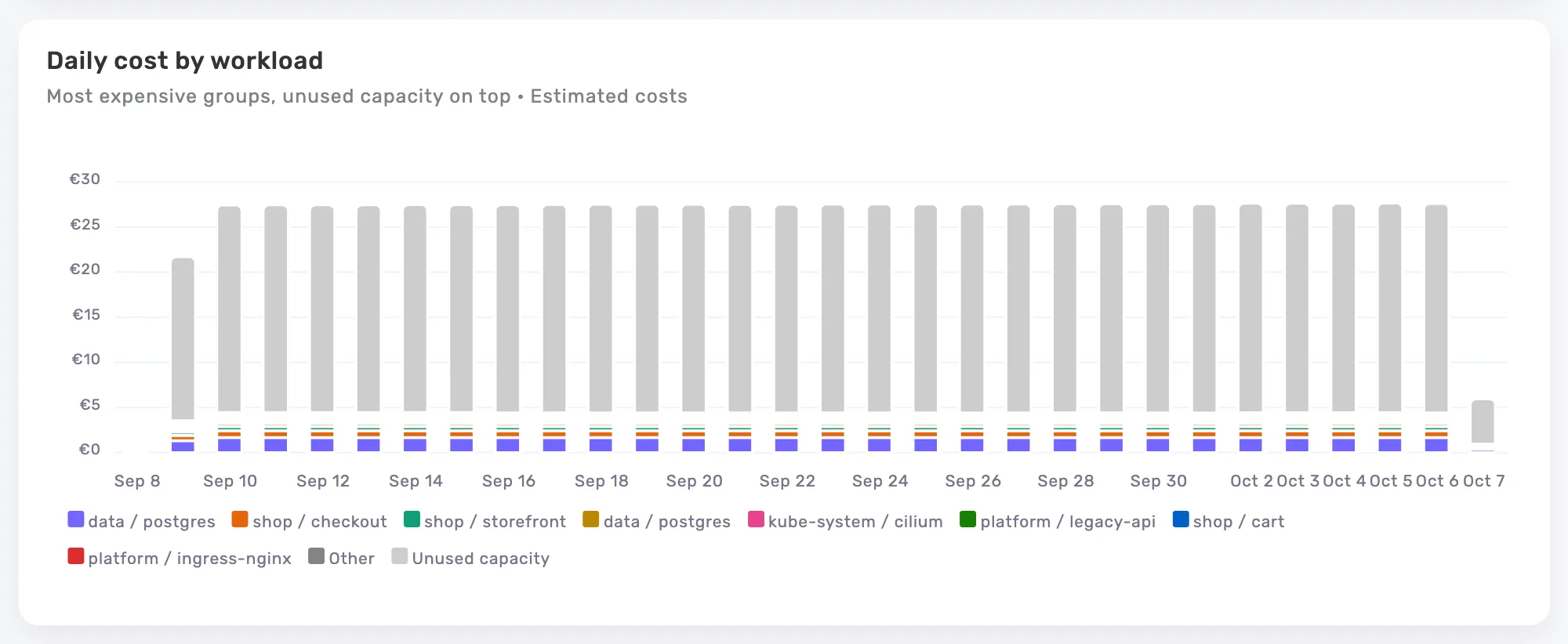
If you also run Kubernetes, connect a cluster to compare costs, requests and usage by namespace, workload and label. Estimates support AWS, Azure, Google Cloud, OVHcloud and Scaleway, with configurable prices for other nodes. Kubernetes costs exclude network traffic. The product view on this page illustrates this complementary Kubernetes analysis.
Start your review during the Team trial
The Cloud workspace is available with Team and during its 14-day trial, with no credit card required. You can connect a cloud account before your first cluster. The trial starts with the agent’s first data, no later than 30 days after your organization is created. Check your organization’s dates when planning the evaluation.
Team starts at €99 per month before tax, including 64 cores and an unlimited Cloud workspace. The base fee also applies without a cluster; cloud spending adds no percentage to the price. To start with Kubernetes alone, Free includes one cluster, 32 billable cores and two members, without the Cloud workspace.
Frequently asked questions
Can I analyze cloud costs without Kubernetes?
Yes. Connect an AWS, Azure, Google Cloud or Scaleway account in the Cloud workspace. No Kubernetes agent is needed for this analysis.
Is the Cloud workspace included in Free?
No. It is included in Team and available during the trial. Free lets you start with the costs and recommendations for one Kubernetes cluster.
Does Onicost charge a percentage of my cloud spending?
No. Team uses a base fee and average node CPU capacity above the included cores. The base fee also applies when you have no cluster.